Cloud-Based vs On-Premise Clinic Software: Which Is Better in Pakistan?
For most Pakistani clinics, cloud-based clinic software is the better choice — it costs less upfront, updates automatically, and lets you check patient records from home or a second branch. On-premise EMR software only makes sense if your clinic has zero reliable internet and you’re prepared to manage your own server and backups.
Introduction
Your receptionist calls to say the clinic’s PC has crashed — and with it, three years of patient history. This isn’t rare. A 2025 Pakistan Telecommunication Authority report noted broadband penetration crossing 60% nationwide, yet most small clinics still run on a single desktop and a stack of paper files with no backup at all. When that machine fails, the records go with it.
This is the real decision behind “cloud-based clinic software Pakistan” searches: not a tech preference, but a risk question. Do you trust a hard drive in your reception area, or a system that backs itself up every time a prescription is printed?
This article breaks down cloud-based and on-premise clinic management software in plain terms — what each one actually does to your daily workflow, your data, and your costs — so you can pick the right one for a clinic in Multan, Lahore, or a small town with patchy signal. We’ll also cover what to do if your area genuinely can’t hold a stable connection.
Let’s start with what these terms actually mean inside a working clinic.
What’s the Real Difference Between Cloud-Based and On-Premise Clinic Software?
Cloud-based clinic software stores your patient data on remote servers you access through the internet. On-premise EMR software installs directly onto a computer or server physically inside your clinic, with no dependency on an internet connection to function day-to-day.
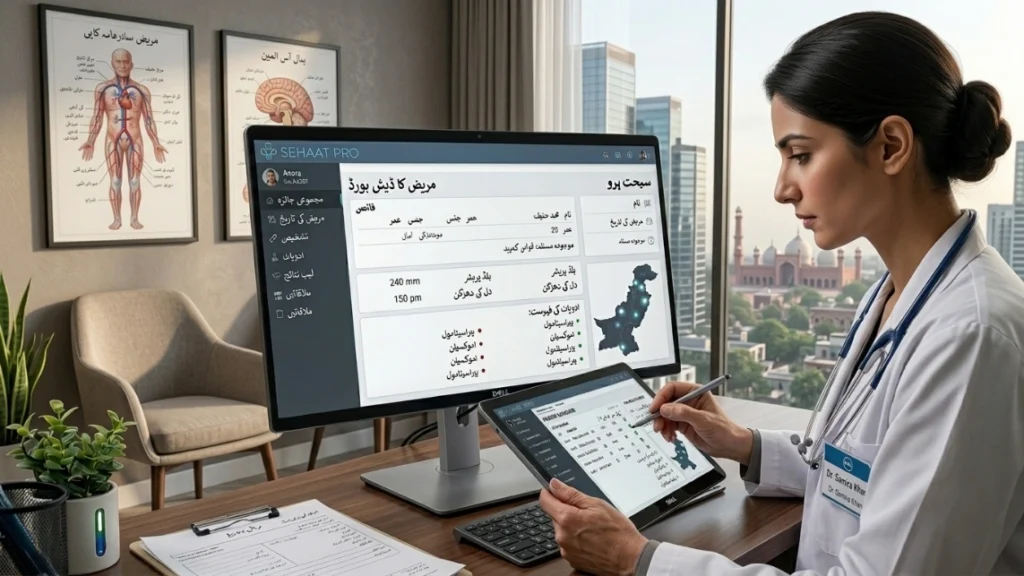
The distinction matters more in Pakistan than in markets with stable, near-universal broadband. In a cloud setup, your appointment book, prescriptions, and patient history live on encrypted servers maintained by the software provider. You log in from a browser or app — at the clinic, at home, or from a second branch — and see the same data every time. Updates, security patches, and backups happen automatically, without you calling a technician.
On-premise software works differently. You (or an IT person) install it on a specific machine. That machine becomes the single source of truth. If it’s a desktop in your Sialkot dermatology clinic, that desktop holds everything — and everything depends on it staying powered, updated, and unhacked.
For a general physician in Multan running a single room, on-premise might feel simpler at first glance — “it’s just on my computer.” But the moment you want a second doctor to see the same booking calendar, or you want to check a patient’s history from home before a Sunday emergency call, on-premise starts showing its limits. Cloud systems like SehatPro were built around this exact need — <cite index=”0-2″>Pakistan’s broadband penetration climbed past 64% nationally</cite>, per PTA’s FY2026 telecom data, meaning most urban and semi-urban clinics now have the connectivity to run cloud-first without much friction.
Which Option Actually Costs Less Over Time?
On-premise software often looks cheaper upfront because there’s no monthly fee — but that math ignores server hardware, IT maintenance, manual backups, and the cost of downtime. Cloud-based clinic software spreads cost predictably and usually wins over a 2–3 year horizon.
Here’s where clinic owners get caught out. An on-premise system might quote a one-time license fee of PKR 60,000–100,000. That sounds final. But you still need a dedicated PC or server (PKR 40,000+), someone to maintain it, an external hard drive or backup routine you have to remember to run yourself, and a technician on call for the day it crashes — usually during a busy Monday clinic. None of that is included in the “one-time” price.
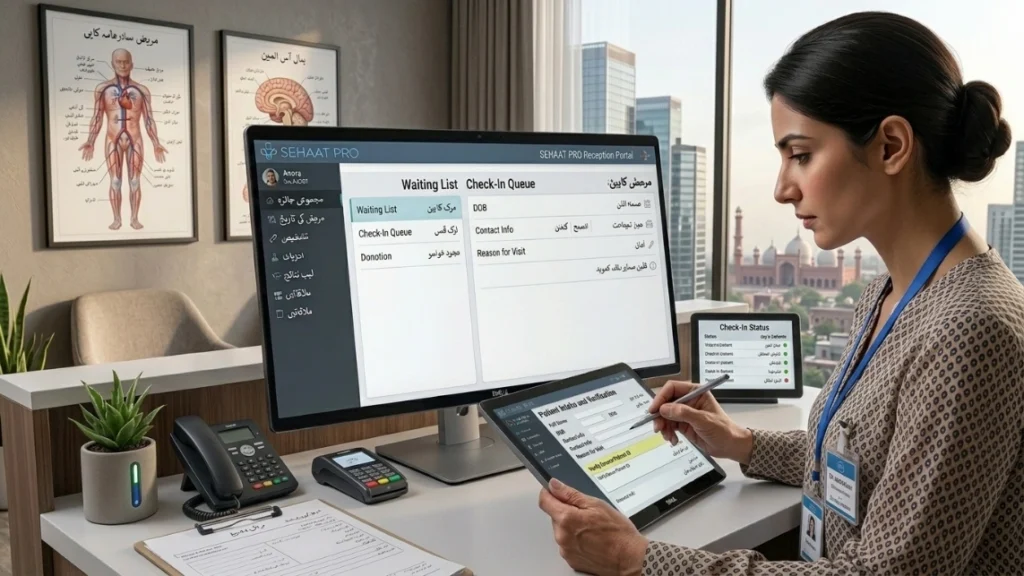
Cloud-based plans, like SehatPro’s CareStart at PKR 2,999/month, bundle hosting, security patches, and backups into the subscription. There’s no separate server to buy, no IT staff to hire, and no surprise repair bill. For a multi-branch clinic in Faisalabad, this becomes even more significant — instead of paying for hardware and maintenance at every branch, you pay one predictable fee and get centralized records across all locations through SehatPro’s support for multi-branch clinics.
If your clinic genuinely has no reliable internet — some parts of Larkana and rural Sindh still fall into this category — SehatPro’s ProCare plan (PKR 79,999 one-time) offers offline installation, giving you the software’s core functionality without a live connection, while still allowing sync when internet becomes available.
Pro Tip — Expert Insight: In our experience working with 135+ doctors across Pakistan, the clinics that regret going on-premise almost never regret the software itself — they regret underestimating who’s responsible for backups. If you go on-premise, name one specific staff member responsible for the weekly backup and write it into their job description. “Someone will handle it” is how three years of records disappear.
How Do Internet Outages Affect Clinic Software in Pakistan?
Internet issues are the single biggest objection clinic owners raise about cloud-based clinic software, and it’s a fair concern — but modern systems are built to handle intermittent connectivity, not just constant high-speed access.
Power cuts and slow signal are part of daily reality in many Pakistani cities, not just remote towns. A cardiologist in Karachi dealing with a load-shedding schedule, or a pediatrician in Islamabad hit by a sudden fiber outage, needs software that doesn’t collapse the moment the connection drops.
What Happens When the Internet Goes Down Mid-Consultation
Well-built cloud clinic software caches recent data locally in the browser or app, so a doctor mid-consultation doesn’t lose the patient’s open record — they can usually keep writing the prescription, and the system syncs once connectivity returns. What you lose is real-time syncing across devices during the outage, not the ability to work.
Why On-Premise Isn’t Automatically Safer
On-premise systems don’t need the internet to run, which sounds like an advantage — until you consider that Pakistan’s electricity supply is just as inconsistent as its internet. A local server still needs power, a UPS, and physical protection from surges. An on-premise system survives an internet outage but not a power failure without a battery backup, so the “offline is safer” argument only holds halfway.
This is exactly why SehatPro built a hybrid path: the standard cloud plans for clinics with decent connectivity, and the ProCare offline installation for clinics in areas where connectivity genuinely can’t be counted on. You choose based on your actual location, not a general assumption about “internet in Pakistan.”
Paper Files vs Cloud Records: What’s the Real Cost of “How We’ve Always Done It”?
Many established clinics still run on paper files stored in cabinets, treating this as the safe, familiar option. In practice, paper systems carry higher error rates, slower patient turnaround, and total data loss risk that cloud-based EMR software eliminates by design.
| Factor | Paper-Based System | SehatPro (Cloud-Based) |
|---|---|---|
| Time per patient record lookup | 3–5 minutes searching files | Under 10 seconds via search |
| Prescription error rate | Higher — illegible handwriting, misread dosages | Lower — templated, print-ready prescriptions |
| Patient wait experience | Manual token calling, frequent confusion | Live queue with digital token management |
| Staff workload | High — manual filing, re-writing records | Reduced — auto-saved, searchable EMR |
| Data loss risk | Total loss possible (fire, theft, misplacement) | Encrypted cloud backups, recoverable |
| Multi-branch visibility | None — records stay at one location | Centralized across all branches |
| Setup cost | Low upfront, high hidden cost over years | PKR 2,999/month starting (CareStart) |
A gynecologist in Lahore managing 40+ patients a day loses real clinical time re-reading her own handwriting from six months ago. SehatPro’s unlimited patient records feature keeps a lifetime history searchable by name, CNIC, or visit date — something no filing cabinet, however well organized, can match at scale.
Does Cloud-Based Software Actually Keep Patient Data Safe?
Data privacy is a legitimate concern, especially for clinics handling sensitive records like reproductive health or mental health history. Reputable cloud-based clinic software uses encryption and secure backups that are, in practice, harder to breach than an unlocked filing cabinet or an unsecured office PC.
A common misconception is that “the cloud” means anyone can access your data. In reality, systems like SehatPro use role-based access — a receptionist sees the appointment queue, not the full medical history; a lab technician sees test orders, not billing details. This is stricter access control than most paper-based clinics manage, where any staff member can flip open any file.
Where On-Premise Can Actually Be Riskier
An on-premise server sitting in your clinic is only as secure as your office door lock and your one IT technician’s password habits. If that machine is stolen — which happens — or infected by malware from an unpatched Windows install, there’s often no automatic backup to fall back on. Cloud systems handle security patching centrally, so you’re not relying on someone remembering to update software on a clinic PC.
SehatPro’s approach, detailed on the data privacy and security page, includes encrypted storage and secure cloud backups designed specifically around healthcare data sensitivity — not repurposed generic business software.
Will Cloud-Based Software Work for Urdu-Speaking Staff and Walk-In Patients?
Software adoption fails in Pakistani clinics for one main reason: staff find it too complicated in a language they’re not comfortable with. Cloud-based clinic software built for the Pakistani market solves this with local-language interfaces and workflows designed around walk-in culture, not appointment-only assumptions.
Most receptionists and front-desk staff in mid-size clinics are more comfortable working in Urdu than English, especially under the pressure of a full waiting room. SehatPro’s multilingual interface — Urdu, English, Arabic, Sindhi, and 27+ languages — means a receptionist in a Toba Tek Singh clinic can manage the same live queue as an English-speaking manager in Islamabad, each in the language they’re fastest in.
Built for Walk-Ins, Not Just Booked Appointments
Western-designed clinic software often assumes every patient booked in advance. Pakistani clinics don’t work that way — a general physician might see 60% walk-ins on a given day. SehatPro’s easy appointment and patient handling system handles this by letting staff add walk-ins directly into the live token queue, without breaking the schedule for patients who did book ahead.
A urologist in Sahiwal or an eye specialist in Mirpur-AJK dealing with a mixed walk-in and appointment day needs a queue system that reflects reality, not a rigid calendar that assumes every patient shows up on time.
What Should You Check Before Switching to Cloud-Based Clinic Software?
Switching software mid-operation feels risky, but a short evaluation checklist prevents most of the problems clinics run into during migration.
Checklist before you switch:
- Test with your actual patient volume — not a demo with 5 sample records. Ask for a trial with real daily numbers.
- Confirm offline behavior — ask specifically what happens to an open patient record if the connection drops mid-consultation.
- Check role-based access — make sure receptionists, doctors, and lab staff each see only what they need.
- Ask about data migration — can your existing paper or spreadsheet records be imported, or do you start from zero?
- Verify WhatsApp/SMS reminder delivery — a gastroenterologist in Karachi relying on follow-up visits needs this working from week one, not “coming soon.”
- Confirm pricing includes support — some vendors charge extra for basic staff training or phone support.
- Review reporting exports — you should be able to pull monthly numbers into Excel without a support ticket.
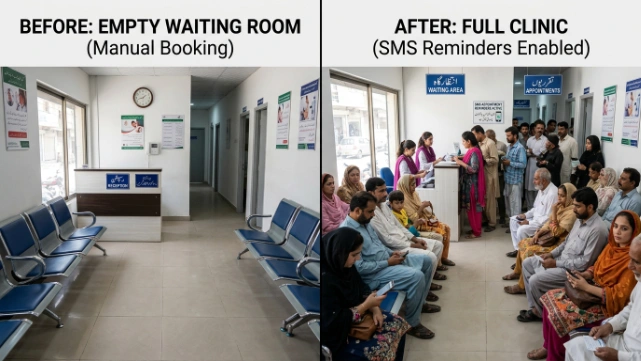
SehatPro’s patient reports and insights module covers point 7 directly, giving daily and monthly reports exportable to Excel without needing a developer to pull the data for you. And its automated SMS and WhatsApp reminders address point 5 — reducing no-shows for follow-up-heavy specialties like cardiology and pulmonology.
Conclusion
The choice between cloud-based and on-premise clinic software comes down to one honest question: how much do you trust a single machine in your clinic to never fail? For the overwhelming majority of Pakistani clinics, cloud-based clinic software is the more reliable, more affordable, and more staff-friendly path — reserve on-premise for the rare clinic with genuinely no path to internet access.
Three takeaways to act on:
- Don’t let upfront cost mislead you. On-premise’s hidden costs — hardware, IT support, manual backups — usually exceed a cloud subscription over 2–3 years.
- Match your plan to your connectivity, not a general assumption. Good broadband areas can go fully cloud; low-connectivity areas should look at hybrid offline options like ProCare.
- Prioritize staff comfort. Urdu-language support and walk-in-friendly queue management matter more to daily adoption than any technical feature.
- Treat data backup as non-negotiable, whichever system you choose.
Ready to see how SehatPro can simplify your clinic? Book a free demo today.
Related reading: “How to Digitize a Paper-Based Clinic Without Losing a Single Patient Record” and “EMR Software Pakistan: A Complete Buyer’s Guide for Small Clinics.”
FAQ
Is cloud-based clinic software Pakistan-friendly for areas with weak internet?
Yes, for most cities. Broadband penetration in Pakistan has crossed 60% and continues rising, per PTA data. For clinics in genuinely low-connectivity areas, SehatPro offers an offline installation option (ProCare) that works without a constant connection.
How much does cloud-based clinic software cost in Pakistan?
Plans typically start around PKR 2,999/month for small clinics and scale up based on features and branches. SehatPro’s CareStart plan begins there, with a one-time ProCare option at PKR 79,999 for offline setups, and custom EnterpriseCare pricing for larger operations.
Is on-premise EMR software safer than cloud-based software?
Not necessarily. On-premise systems avoid internet dependency but still rely on local power, a secured device, and manual backups. Cloud-based clinic software uses centralized encryption and automatic backups, which often makes it harder to lose data entirely.
Can Urdu-speaking receptionists use cloud-based clinic software easily?
Yes, if the software is built for the local market. SehatPro offers a multilingual interface including Urdu, English, Arabic, and Sindhi, so front-desk staff can manage bookings and queues in the language they’re most comfortable with.
How long does it take to set up cloud-based clinic software in Pakistan?
Most clinics are operational within a day or two, since there’s no server hardware to install. Staff training on core features like appointment scheduling and prescription writing typically takes a few hours.
What happens to patient data if the internet goes down while using cloud software?
Well-designed systems cache the current session locally, so an open patient record isn’t lost. Real-time syncing pauses until the connection returns, but the doctor can usually continue writing the consultation without interruption.